Extensible testing

What is extensible testing?
Extensible testing lets technical experts push their tools further with code. Proprietary testing platforms are hugely valuable, since nobody wants to build automation from the ground up. But without extensibility, their functionality becomes a ceiling.
Extensible testing removes that ceiling by giving you multiple ways to power up your tooling with your own code.


Why is extensible testing so useful?
Quality Engineers, SDETs, and Developers with scripting knowledge can push their tests well beyond what any recorder produces on its own.
With code in the mix, the edge cases, external systems, and dynamic scenarios that usually resist automation become testable.
Much more than codeless testing
Functionize is a low-code platform built to make testing easy for everyone. But easy does not mean limited: a set of features designed for technical experts lets you power up any test with code, precisely where the scenario demands it.

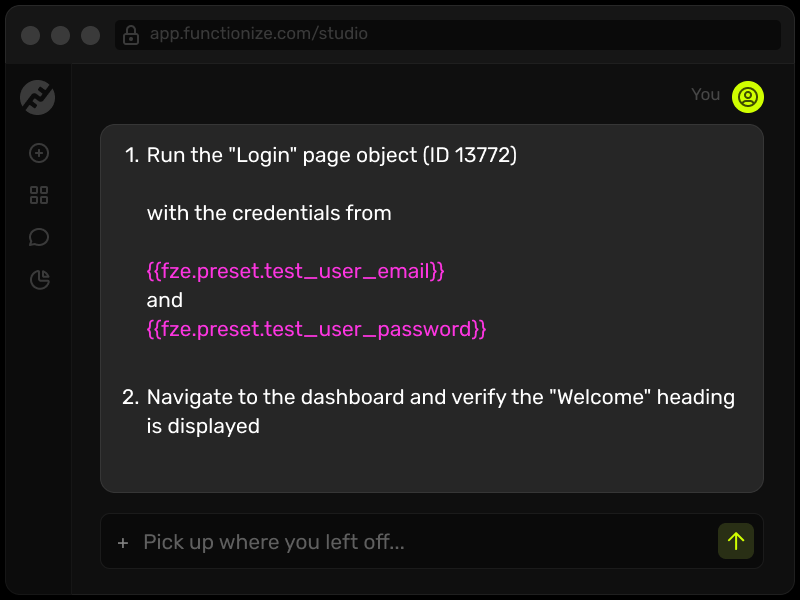
Extensions
Extensions leverage the Functionize data model to extend the platform with programmable code snippets, reusable across projects and shared with your whole team.
- Extend Functionize to do practically anything, including mid-flight actions like calling an external system for a valid order number or generating random data in specific formats.
- Host your Internal Extension inside Functionize, with libraries in NodeJS, Python, or Go.
- Or build an External Extension that triggers an externally hosted API, like submitting an order from a POS machine or managing credentials on your own systems.
Custom JavaScript
Write custom JavaScript as an action in Functionize Studio to interact with the browser directly. The function returns true or false, which determines whether the step passes or fails. Teams use this to:
- Verify that the correct ads are loading.
- Verify the right number of search results appears on each page.
- Verify that information appears in the correct order for the user.

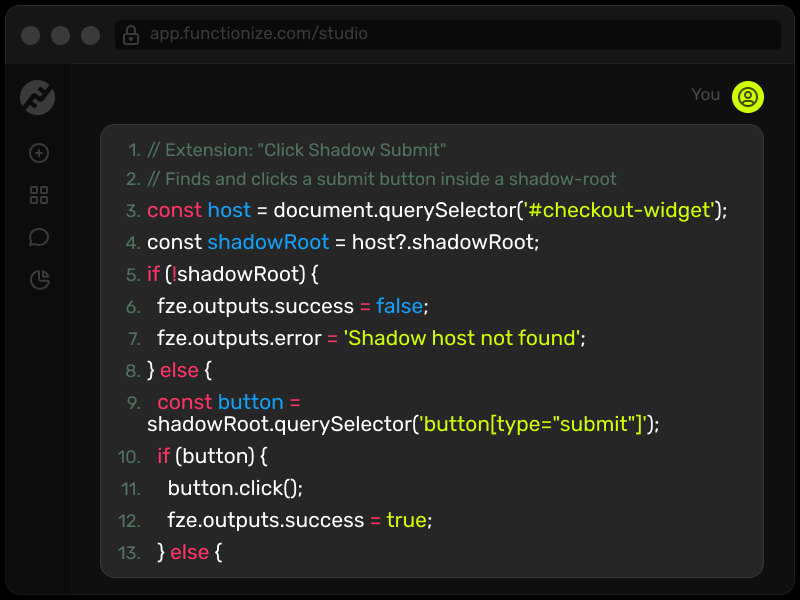
JavaScript selectors
By default, Functionize recognizes page elements through machine learning. In some scenarios, though, you may want to take over and define the selector in code. Common cases include:
- Calculating what to select at runtime.
- Selecting something that changes on every visit, like an A/B tested feature.