Article
Playwright UI Testing: Strategy, Quality & Trends
Explore how Playwright UI testing elevates web interface reliability; best practices, architecture, metrics & lifecycle for now and beyond. Read now!
Web applications have evolved from simple web pages to dynamic, interactive applications with APIs, reusable components, and client-side logic. Playwright UI testing automates the validation of these user interfaces by simulating the behavior of a real user in each browser and validating that layouts, behaviors, and responsiveness perform as expected.
In the modern QA context, this means validating every visual, behavioral, and responsive element of the user interface using automated browser tests - making sure that what users see and interact with works consistently across devices, user environments, and more.
Unit tests are meant to test individual functions, while API tests verify contracts on the back end. UI testing concentrates on the front-end experience itself, which involves the application's appearance, flow, and response. Manual validation of the user interface can check a few paths but cannot compare to the speed and consistency that automated Playwright tests achieve at scale.
Today this discipline is more important than ever. Single-page applications (SPAs) utilize complex state management that can unintentionally disrupt visual or layout consistency. Design systems require strict adherence to brand and layout standards across components. Multi-device and responsive layouts require proper rendering on all screen sizes. Accessibility mandates make inclusive design a must-have rather than a nice-to-have. And with faster release cycles, automated UI validation is essential to maintaining quality without slowing delivery.
Why Playwright UI Testing Matters More Than Ever
Created by previous Puppeteer engineers, Playwright was built to address the drawbacks associated with older browser automation. It facilitates true cross-browser and cross-operating system consistency by supporting all of the major rendering engines - Chromium, Firefox, and WebKit across Windows, macOS, and Linux.
Playwright reduces flakiness and speeds up execution time by isolating browser contexts, running sessions in parallel, and automatically waiting for UI or network events. Teams use it to validate front-end quality at scale, often lowering production defects by 40% and identifying issues 60% faster.
Playwright is only becoming more valuable as web experiences grow more complex and multi-device:
- Cross-browser reliability - One Playwright script can run on Chrome, Safari, Firefox, and Edge without compromising the user experience.
- Parallelization and auto-waiting - Asynchronous handling integrated into the framework improves stability and lowers execution cycle time.
- Mobile and responsive validation - The mobile device emulation feature, for forms like the iPhone and Pixel, automates testing accurately responsive layouts and gestures.
- AI-assisted resilience - Integrations with services including Checksum and ZeroStep leverage AI to auto-heal locators, ensuring tests remain intact as UIs iterate.
- Holistic observability - Services like Datadog and ReportPortal connect Playwright results back to real user monitoring services surfacing metrics such as flakiness, pass rates, and UI drift.
Scope of Playwright UI Testing
Scheduled Playwright UI tests ensure that the entire user experience across browsers and devices is verified, not just individual components. The application needs to perform as expected in real-world scenarios when every interactive and visual component is included.
Key coverage areas include:
- Interactive elements - include forms, input fields, modals, tables, buttons, drop-down lists, and navigation menus that facilitate user interaction.
- State changes - involves testing hover, focus, and active states, along with animations, transitions, and loading behaviors.
- Complex workflows - include full journeys like login, search, checkout, and confirmation, ensuring that important processes work reliably.
- Dynamic content - components that update based on user actions or API responses, including dashboards, search results, and paginated tables.
- Responsive variants - test layouts across different screen sizes (mobile, tablet, desktop), changes in orientation, and device-specific styles through emulation.
- Visual hierarchy and layout - checks alignment, spacing, typography, and follows the design system after brand or theme updates.
- Cross-device and touch validation - involves testing on both real and emulated devices to ensure consistent behavior across operating systems and input methods.
Manual vs Automated UI Testing in Playwright Context
Manual UI testing is still important for exploratory scenarios, usability assessment, and checking new visual designs. Human testers can spot subtle UX problems, such as confusing layouts, unclear messaging, or unexpected animation timing, that automated scripts might miss. However, manual testing alone can't keep pace with the demands of modern web development.
Automated UI testing with Playwright complements manual testing by running repeatable, sizable test cases across numerous browsers/devices. It effectively and quickly checks for critical workflows, allowing QA teams to focus on enterprise value, exploratory testing.
Some key differences are:
Speed and repeatability: Automated Playwright tests run and complete hundreds of checks virtually immediately within CI/CD pipelines. Manual testing does not use the same possibility measure of human effort and checking.
Accuracy and consistency: Automation removes and prevents personal bias or human error from the equation, as every time the same test runs in an environment, the result is the same.
Coverage and scalability: Playwright validates thorough coverage across browsers, devices, and viewports, which manual testing can only dream of covering, let alone at scale.
Maintenance and flexibility: Yes, automation requires establishing and some ongoing maintenance. However, the smart locators, parallel execution, and auto-wait settings in Playwright reduce maintenance.
Human insight: Manual testing will always add value to accessibility, emotional design, and usability when first impression counts.
Core Dimensions & Quality Aspects of Playwright UI Testing
UI testing quality includes several dimensions that define the reliability, usability, and durability of modern web interfaces. Playwright allows for verification across each of these areas, ensuring that visual accuracy, responsiveness, and accessibility are kept up in real-world situations.
Visual Consistency and Layout Stability
Playwright’s visual checks and integrations with tools like Percy or Applitools identify CSS issues, missing components, and layout changes.
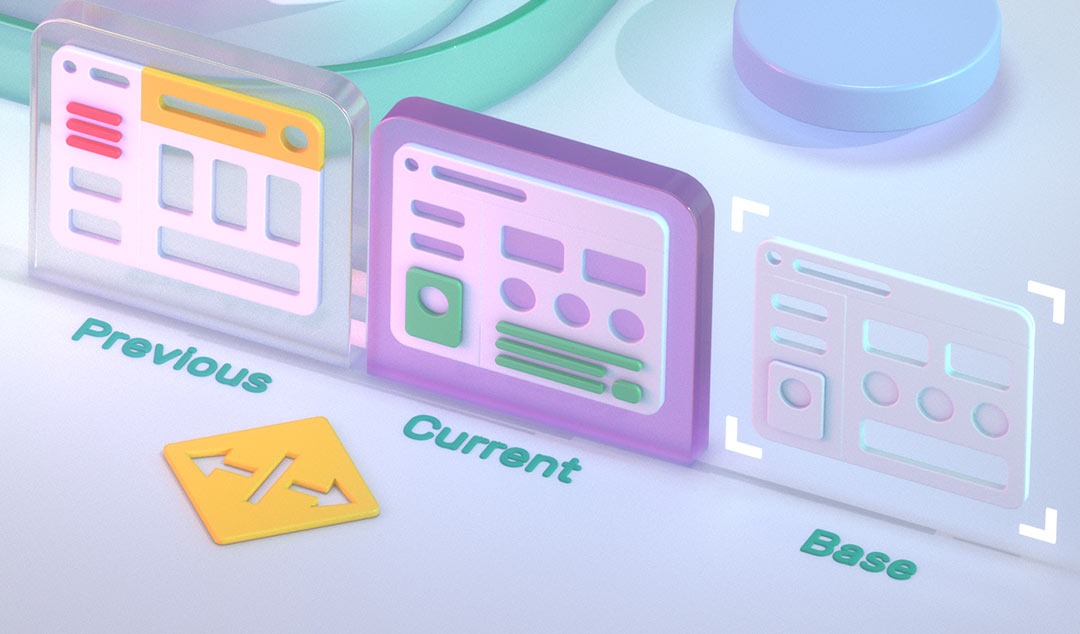
Key checks include:
- Design-system adherence: Colors, typography, spacing, and component alignment stay consistent across pages.
- Layout stability: No visual shifts occur during loading, and elements properly align across different viewport sizes.
- Media rendering: Images and videos load correctly, maintain proportions, and have alternative text for accessibility.
Responsiveness and Performance
Playwright mimics various devices including mobile (iPhone, Pixel, Galaxy) and desktop environments to gauge responsiveness under different conditions.
- Adaptive design: Ensures layouts and interactions properly respond to screen size and orientation changes.
- Performance metrics: Captures Core Web Vitals (LCP, CLS, INP) to identify rendering delays, transition lags, and UI delays under slowed networks.
Cross-Device and Cross-Browser Consistency
Playwright runs the same scripts across Chromium, Firefox, and WebKit with a single API.
- Behavior parity: Checks that features work the same across browsers and operating systems.
- Rendering differences: Manages subtle engine variations (for example, font rendering, CSS rules) using per-browser baselines.
Usability and Accessibility
Playwright helps validate accessible interaction patterns using keyboard navigation, ARIA labels, and focus order.
- Keyboard and focus: Simulates tabbing to verify navigation order and visible indicators.
- Screen-reader compatibility: Tests accessibility trees and ARIA attributes to confirm proper labeling.
- WCAG alignment: Works with Axe for automatic audits that detect contrast and labeling problems.
Behavior under Change (Flakiness and Stability)
Dynamic UIs and asynchronous loading often lead to instability.
- Auto-waiting: Playwright automatically waits for network and UI readiness before interaction.
- Stable locators: Using role, label, and text-based locators ensures stability against DOM changes.
- Timeout handling: Configurable waits help prevent fragile scripts and false negatives.
Error Handling and Recovery
Playwright allows interception and simulation of network or server errors.
- Mocking responses: Checks that UIs manage failures gracefully with fallback messages or retry options.
- Timeout management: Recovers from slow operations by catching exceptions, rather than failing entire suites.
- Retry logic: Distinguishes flaky tests from real failures to maintain suite stability.
Maintainability and Design-System Alignment
Test suites should evolve with the product’s design system and component library.
- Coverage focus: Prioritize key user journeys such as login or checkout.
- Stable selectors: Use semantic locators to reduce fragility.
- Baseline updates: Refresh visual references after design or theme updates to avoid false positives.
Observability, Feedback, and Metrics
Modern testing emphasizes actionable insights, not just pass or fail results.
- Test health dashboards: Connect Playwright with Datadog or ReportPortal for real-time analytics.
- Rich artifacts: Logs, screenshots, and trace replays improve debugging and traceability.
- Performance visibility: Link UI metrics with real-user monitoring (RUM) to catch regressions early.
Compliance and Inclusive UI Testing
Accessibility compliance is now both a legal and competitive requirement.
- Regulations: Frameworks such as WCAG, ADA, Section 508, and the European Accessibility Act require inclusive design.
- Automated audits: Playwright paired with Axe spots missing alt text, poor contrast, and ARIA violations.
- Human validation: Back up automation with manual keyboard and screen-reader tests for thorough coverage.
Playwright UI Testing Across the Software Lifecycle
UI quality should be included throughout the product lifecycle.
- Design & Prototyping: Designers can export components to Storybook or Figma, and at the same time can use Playwright component tests to check states early on. Accessibility factors such as contrast, focus indicators, and labels should be reviewed from the outset. Mocked API responses allow designers to prototype flows before backend services are constructed.
- Development: Developers will write component tests and unit tests to isolate and view UI elements. Page Object Models group selectors and interactions, allowing for reusability and making tests easier to maintain. Use analytics to determine which user journeys require end to end automation.
- Pre-release/Staging: View full cross-browser/device suites, which include visual tests, accessibility audits, and performance tests. Use visual baselines, and be certain to acknowledge which designs change and when to update your baseline. Ensure that complete work flows (login → search → checkout) are validated across browsers.
- Production: Support pre-release test runs with additional practices such as real-user monitoring and synthetic monitoring. Use telemetry to identify differences between a pre-release test and production, capture as many anomalies in a reliable manner as possible, and feed all these insights back into your test design.
- Maintenance: Model your QA efforts in an ongoing manner by auditing your test suite regularly. Eliminate any tests that are stale or not representative of actual use cases; examine and disregard any tests that are unreliable, as well as updating locators to match UI changes, all in separating components of an application to easily distinguish areas of concern.
Key Metrics to Measure Playwright UI Testing Effectiveness
Challenges & Trade-offs in Playwright UI Testing
While Playwright addresses many past issues, challenges still exist.
Learning curve: teams moving from Selenium or Cypress might need time to get used to Playwright’s conventions and API.
Resource intensity at scale: large test suites require the right infrastructure to run many browsers at the same time. Cloud grids and container orchestration can help manage costs.
Younger ecosystem: Playwright’s plugin ecosystem is still developing compared to Selenium.
Limited native mobile support: Playwright primarily focuses on web browsers. Mobile app testing still depends on other tools like Appium.
Ongoing maintenance: tests need to evolve along with the product. Without regular checks, outdated selectors and old tests can increase failure rates. AI-powered tools like Checksum can provide auto-healing but may also have limitations, such as a steep learning curve and manual setup.
Modern & Emerging Practices in Playwright UI Testing
Playwright keeps up with new developments and testing methodologies, with teams adapting improved approaches to help make UI testing faster, more intelligent and reliable with enhanced methodologies.
AI assisted testing: Integrations with AI tools like Functionize, enable teams to introduce self-healing locators, natural language test generation, and dynamic test suite maintenance as UIs change.
Shift left testing: QA now starts earlier in the development life cycle, with developers running Playwright tests directly in their CI pipelines or pre-commit hooks to capture and fix visual or functional issues before code merges.
Shift right Observability: Teams are also tying together Playwright test data, with real user monitoring and telemetry data tools like Datadog, and ReportPortal, to connect reliability failures with their impact on users in production.
Codeless and low-code frameworks: With a host of new tools wrapping Playwright’s API, teams can leverage visual interfaces to enable non-technical testers to create, manage or own their automation journey with minimal-to-no coding.
Parallel and distributed execution: Cloud-based test runners are leveraging containerization to execute hundreds of Playwright sessions concurrently, allowing for greater test coverage without increasing execution time.
Accessibility automation: Integrations with Accessibility scanners like Axe-core are improving an organization's ability to not only adhere to WCAG compliance, but to catch violations earlier in the lifecycle.
Consistent visual validation: Incorporating Baseline image comparison into a CI/CD pipeline enables you to identify even subtle design or layout changes between releases.
Robust locator strategies: By combining semantic selectors - roles, labels, and test IDs - with locator mapping powered by AI, you can mitigate the problems faced when updating the DOM or modifying styles.
Conclusion
- Playwright UI testing checks real user interactions across browsers and devices. It ensures quality in visual appearance, behavior, and responsiveness.
- Its cross-browser setup, auto-waiting, and parallel execution cut down on defects and speed up release cycles.
- Automated testing offers scale and speed, while manual testing brings in insights about usability and accessibility.
- AI-assisted testing, self-healing locators, shift-right analytics, and accessibility automation shape Playwright’s direction for 2026.
- A smart mix of automation, human insight, and modern tools helps teams create reliable, inclusive, and high-performing interfaces at scale.