Self-Healing Tests Aren't Magic: Here's What's Actually Happening Under the Hood
Tests keep breaking? Stop chasing selectors. Discover the AI that uses a 5D element model and 40 specialized models to genuinely self-heal—not just retry.
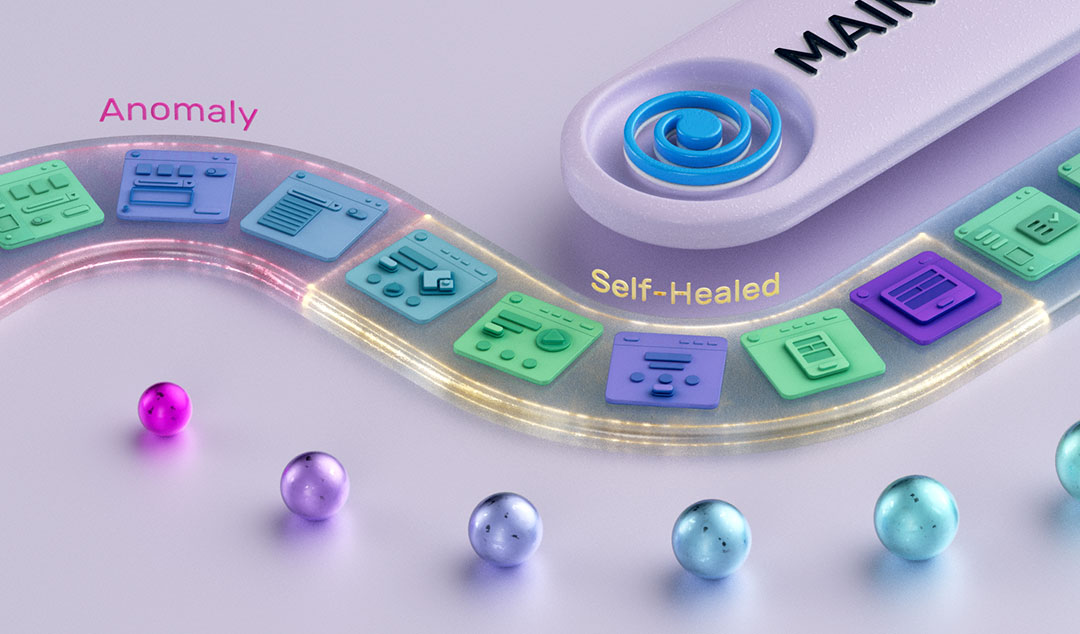
Every time a browser updates, a designer tweaks a layout, or a developer refactors a component ID, someone on your team spends hours babysitting tests that have nothing actually wrong with them, except a changed selector.
Self-healing gets positioned as the fix. But the term covers everything from basic locator fallbacks to genuinely intelligent AI-driven recovery, and that gap matters when you're deciding how much to trust your results.
Here's what it actually looks like in systems built on real machine learning, and how it differs from a smarter retry loop with a new name.
The Brittleness Problem Isn't Going Away on Its Own
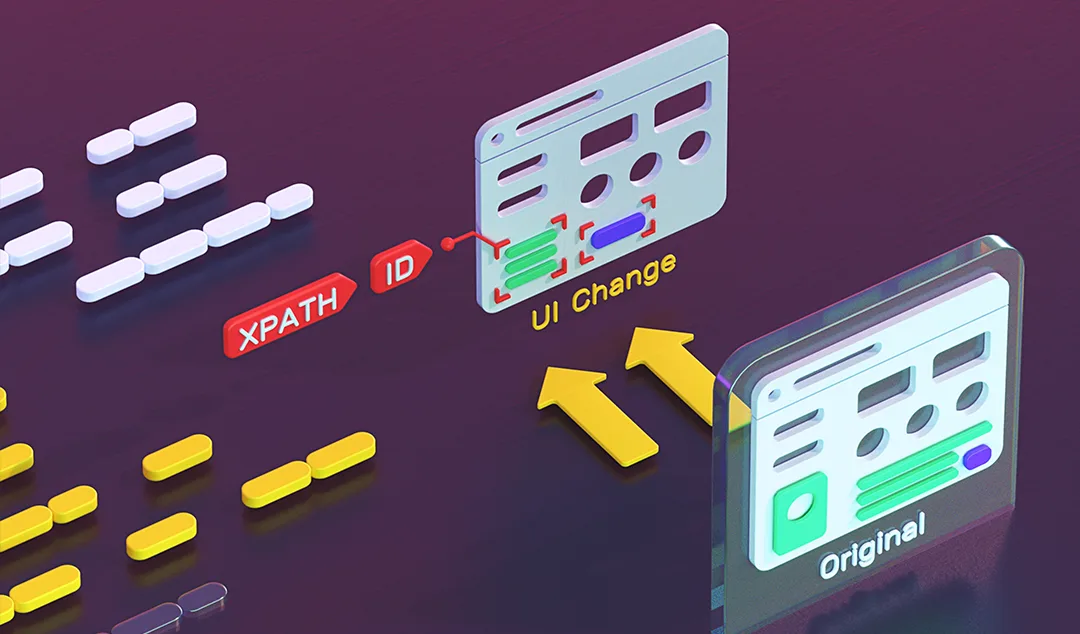
Traditional automated tests bind tightly to the DOM. An XPath expression, a CSS selector, an element ID and these are the anchors that tell your script what to interact with. When any of those change, the test fails. Not because your application broke, but because your test was written against a snapshot of the UI that no longer exists.
The standard workarounds like Page Object Models, multiple fallback locators, maintenance sprints reduce the pain but don't eliminate it. They shift the cost from reactive firefighting to ongoing overhead.
A 2025 survey of over 600 software developers and engineering leaders found that 55% of teams using open-source frameworks like Selenium, Cypress, and Playwright spend at least 20 hours per week on test creation and maintenance - time that isn't going toward new coverage or shipping product. (Rainforest QA State of Test Automation Report, 2025)
The deeper issue is that conventional tools have no concept of intent. They know how to click a button at a specific address in the DOM. They don't know why that button matters, what it represents functionally, or how to reason about finding it again if the address changes. Self-healing AI changes that equation, but only if it's built on something more than heuristics.
The 5D Element Model: Why a Button Is More Than a Selector
The foundation of meaningful self-healing is a richer representation of the UI. Instead of identifying an element by a single locator, a well-built AI testing platform captures a multi-dimensional fingerprint for every element at test creation time. Functionize encodes five dimensions for each element on every page:
- Attributes & Properties: The functional DNA: id, class, name, role, aria labels, data attributes, and behavioral state flags
- Visual Characteristics: Size, color, font, position on screen, rendering style, and visual weight relative to surrounding elements
- Hierarchy & Relationships: Parent, child, and sibling structure in the DOM; iframe nesting depth; proximity to landmark and structural elements
- State & Interactions: Active, disabled, focused, hovered states; expected interaction types (click, type, scroll, drag)
- Content & Metadata: Visible text, alt text, ARIA descriptions, title attributes, and semantic meaning inferred from context
During a test run, this isn't just looked up statically, but rather computed in real time across roughly 3,500 elements per page, with approximately 200 attributes evaluated per element. The result is a high-dimensional embedding that describes each element's identity, context, and purpose far more robustly than any single selector could.
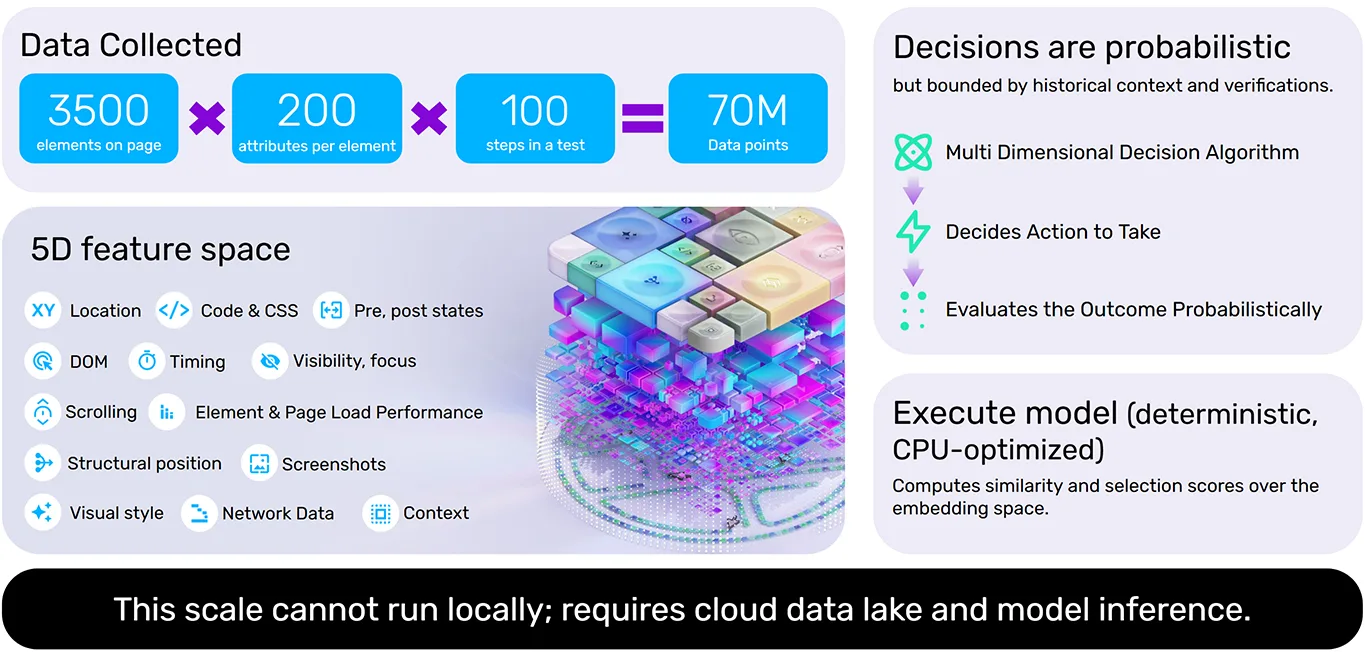
When a UI changes, the system doesn't look for an exact match. It computes similarity scores across the embedding space and finds the element most consistent with the historical fingerprint. A button whose ID changed but whose label, visual style, and structural position remained intact will still be found reliably because the AI is reasoning about the element's identity, not just its address. Functionize's Execute Agent processes over 70 million data points per test run through this decision algorithm.
Time-Series Tracking: How the System Learns Your App Over Time
A single high-dimensional snapshot is useful. A time series of them is powerful.
Each time a test executes, the platform updates a per-element, per-step time series of embeddings and attributes. This means the system tracks how each element has changed across runs — color, size, text content, relative position, DOM ancestry, and whether it has shifted inside or outside an iframe.
The key distinction is between incremental drift and a breaking change. A button's color shifting from blue to indigo across three sprints is incremental drift. The system re-anchors to the element and updates its backing data automatically. A button that moves into a new layout section is more significant but if the movement is consistent with a discernible pattern (say, part of a broader navigation redesign), the system can still resolve it with confidence by reasoning from history.
Incremental drift is tolerated; the system re-anchors to the same logical element and updates its backing data. When cumulative change exceeds bounds, or a verification fails, it escalates to a diagnostic agent.
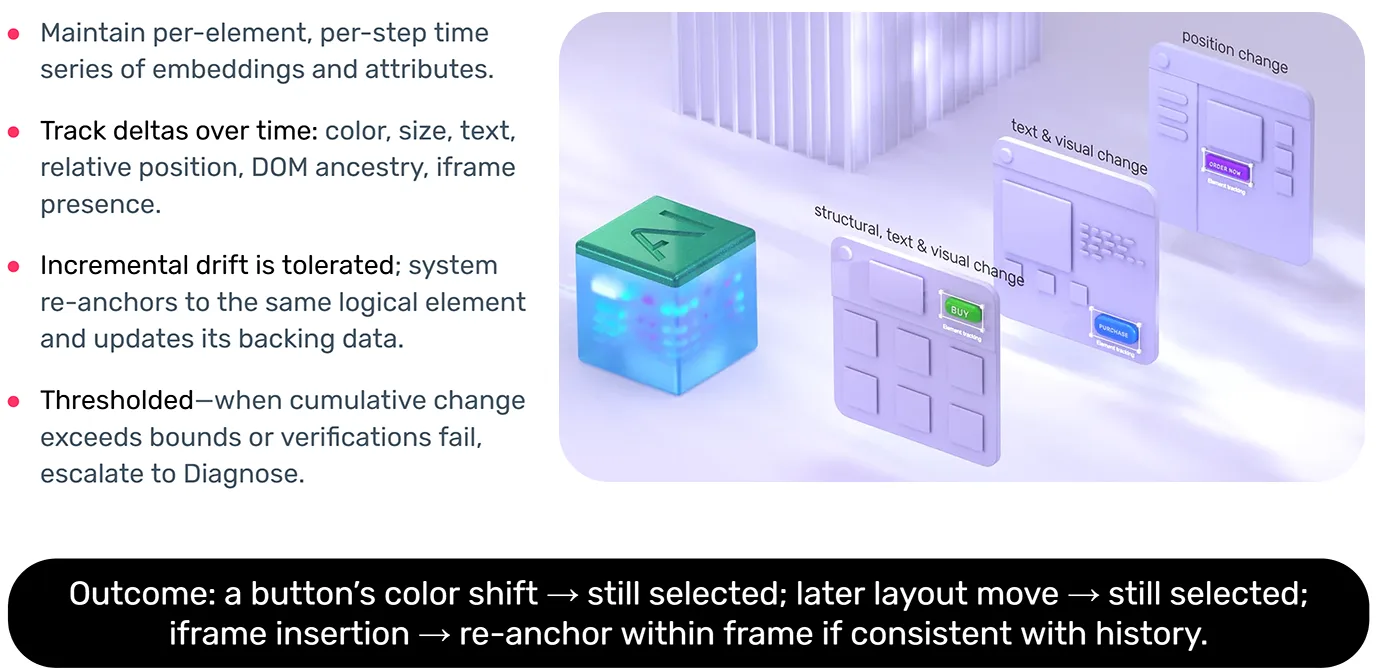
This is what separates genuine AI self-healing from a smarter retry loop. A retry loop will blindly re-attempt the same selector until it times out. Time-series-based healing uses historical context to determine whether the element has meaningfully changed, can be re-identified with high confidence, or has drifted past the point where human review is warranted.
The Adjoint Model: A Reverse Sanity Check
Any probabilistic system can make confident mistakes. A similarity score of 94% doesn't mean the system found the right element, it means it found the closest match in the embedding space. In a UI with multiple visually similar buttons, "closest" can still be wrong.
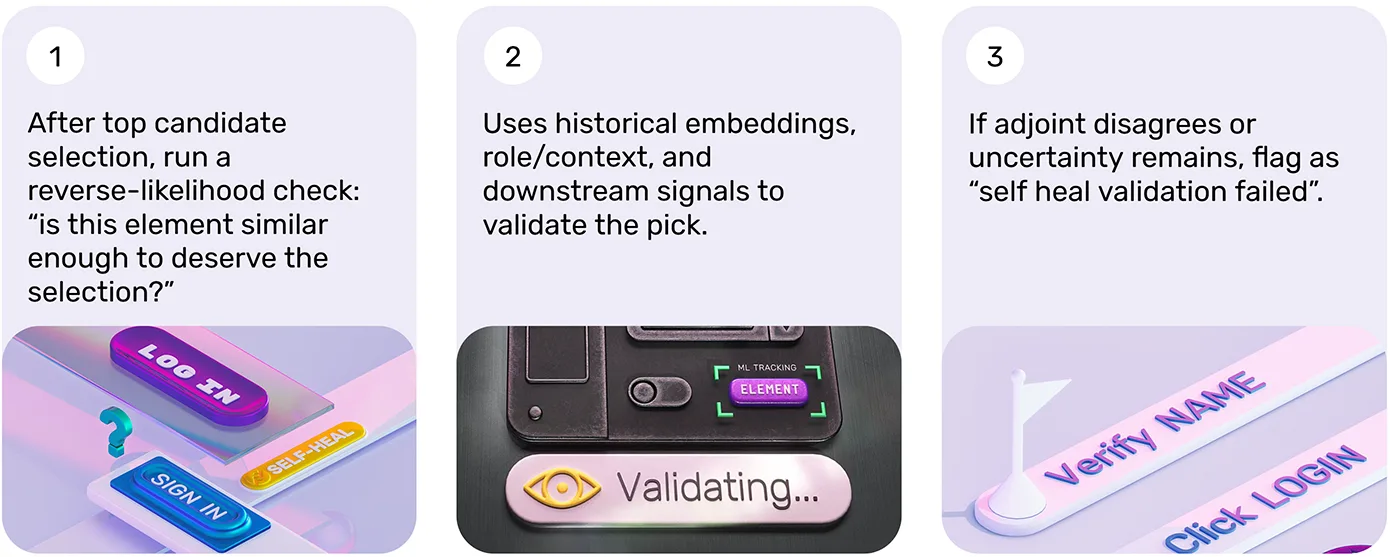
This is where the adjoint model comes in. After the primary algorithm selects its top candidate element, a second model runs a reverse-likelihood check: Is this element actually similar enough to the historical record to deserve this selection? It's a validation step that uses historical embeddings, role and context signals, and downstream behavioral signals to confirm the pick or flag it for review if uncertainty remains above threshold.
If the adjoint model disagrees, or if the uncertainty score stays high, the system flags the result as "self-heal validation failed" and escalates rather than silently proceeding. Failing loudly on genuine uncertainty is a feature, not a limitation. A system that heals confidently when it shouldn't is more dangerous than one that fails explicitly because silent wrong recoveries lead to false passes that mask real bugs.
What Self-Healing Cannot Do: The Role of Verifications
Here's the part that often gets left out of vendor conversations: self-healing is constrained by your verifications. It cannot override a failed verification.
A verification defines the expected outcome of a test step. Did the correct confirmation page render? Did the user's account balance update in the database? Did the downstream email arrive with the correct content? Self-healing handles the mechanics of finding and interacting with elements but it doesn't determine whether the business outcome was correct. That's the verification's job.
Tests without meaningful verifications aren't really tests. Without assertions anchored to business outcomes and state transitions, you have a user flow — a script that navigates and clicks without confirming that anything actually worked. Self-healing can keep that script running through UI changes, but it cannot tell you whether the application is behaving correctly.
Verifications belong at business outcomes and high-risk state transitions — not on every click and navigation step. Over-asserting creates noise and fragility. Asserting at checkout completion, user account creation, data submission, and critical API calls catches what actually matters — and those are the signals that self-healing will not attempt to paper over.
The 40-Model Stack: Specialization Over Generalization
Self-healing isn't a single model doing everything. In production-grade systems, it's an ensemble. Functionize's Execute Agent runs approximately 40 specialized models — each focused on a specific sub-problem: object recognition, scroll behavior, visual position reasoning, timing evaluation, state assessment, and more.
A single generalist model asked to simultaneously handle visual layout, DOM structure, timing behavior, and semantic content will be mediocre at all of them. Specialized models can be trained and refined independently on their own problem domain. The broader intelligence stack also includes semantic layers — step-level and workflow-level intent — and dedicated root cause analysis layers for failure diagnosis. So when something escalates to human review, there's a meaningful diagnosis waiting, not just a red status icon.
The system also improves over time. Every execution adds to the time series, and the models update in a closed feedback loop. The more your application moves through the platform, the more precisely the system understands its patterns. Your tests get more reliable as you ship more, not less — which is the inverse of what happens with traditional script-based automation.
Evaluating Self-Healing Claims: The Questions to Ask
If you're assessing self-healing capabilities — or explaining the difference to your team — ask these questions: Does the system capture multi-dimensional element fingerprints, or just maintain a list of alternative locators? Does it maintain time-series history across runs, or only retry within a single execution? Does it run a validation check on its own selections? And critically — does it fail loudly when confidence is low, or recover silently and risk passing a broken test?
The answers tell you whether you're looking at genuine AI-driven healing or a smarter retry loop. The distinction matters — not just technically, but for how much you can trust the results your test suite produces.
Tests should never break because of a UI change that didn't break the product. That's the standard. Understanding the mechanics of how a platform reaches it is how you evaluate whether it actually gets there — or just looks like it does in a demo.
Ready to see what agentic QA looks like in practice? Book a personalized demo — we'll show you how teams like GE Healthcare and Honeywell reduced testing time by up to 90%. Or start a free trial and experience it yourself.